Table of Contents
ToggleThe Xbox 360 E represented Microsoft’s bold attempt to refresh their aging console with a sleeker design and refined hardware midway through the generation’s lifecycle. Released in 2013, this revised model caught the attention of both longtime fans and newcomers curious about the Xbox ecosystem. Unlike typical mid-cycle refreshes that feel cosmetic, the Xbox 360 E addressed real pain points, overheating issues, dated aesthetics, and connectivity options, while maintaining backward compatibility with the extensive library players had already invested in. Whether you’re hunting for a used unit today or simply curious about what made this console special, understanding the Xbox 360 E gives you insight into a pivotal moment in gaming history. This guide breaks down the hardware, explains what makes it different from earlier models, and helps you decide if it’s worth your money in 2026.
Key Takeaways
- The Xbox 360 E is the most refined iteration of Microsoft’s seventh-generation console, featuring modernized design, improved cooling, and comprehensive connectivity that addressed pain points from earlier models.
- Superior thermal management and stricter manufacturing standards make the Xbox 360 E the safest used console choice in 2026, with significantly lower failure rates compared to the original or S models.
- A robust gaming library spanning 2005-2016 includes iconic franchises like Halo, Gears of War, Mass Effect, and Dark Souls, making it a compelling platform for accessing gaming history.
- Expect to pay $100-180 for a well-maintained Xbox 360 E in good condition, with 250GB storage and all original cables and controllers included.
- Proper ventilation, periodic vent cleaning, and quality power cables are essential maintenance practices to extend console lifespan and prevent thermal-related failures.
- Online multiplayer functionality has been largely phased out as of 2020, though offline single-player campaigns and split-screen gaming remain fully accessible on the Xbox 360 E.
What Is The Xbox 360 E?
The Xbox 360 E, released in June 2013, was Microsoft’s final major revision of the original Xbox 360 console. It arrived toward the end of the console’s commercial lifespan, the Xbox One was already announced and would launch later that year, making it a swan song rather than a flagship release. The “E” stood for an evolved design philosophy, combining a modernized chassis with the proven internals that had solidified the Xbox 360’s legacy in gaming.
This wasn’t a new console generation: it was the same processing power, the same library, and the same Xbox Live experience wrapped in fresh packaging. Microsoft’s goal was straightforward: make the Xbox 360 look contemporary, fix lingering reliability concerns, and give existing players a reason to upgrade if their original models were showing their age. The result felt like what the console should have been from day one, professional, refined, and built to last.
The timing mattered. By 2013, the Xbox 360 had already cemented itself as one of gaming’s most important platforms, with over 40 million units sold worldwide and a game library second to none. The Xbox 360 E allowed Microsoft to capitalize on this momentum while phasing toward the next generation. For used console buyers today, it represents the most polished version of this era’s hardware, though its availability and value depend heavily on condition and configuration.
Key Design Changes and Improvements
Sleek Redesigned Form Factor
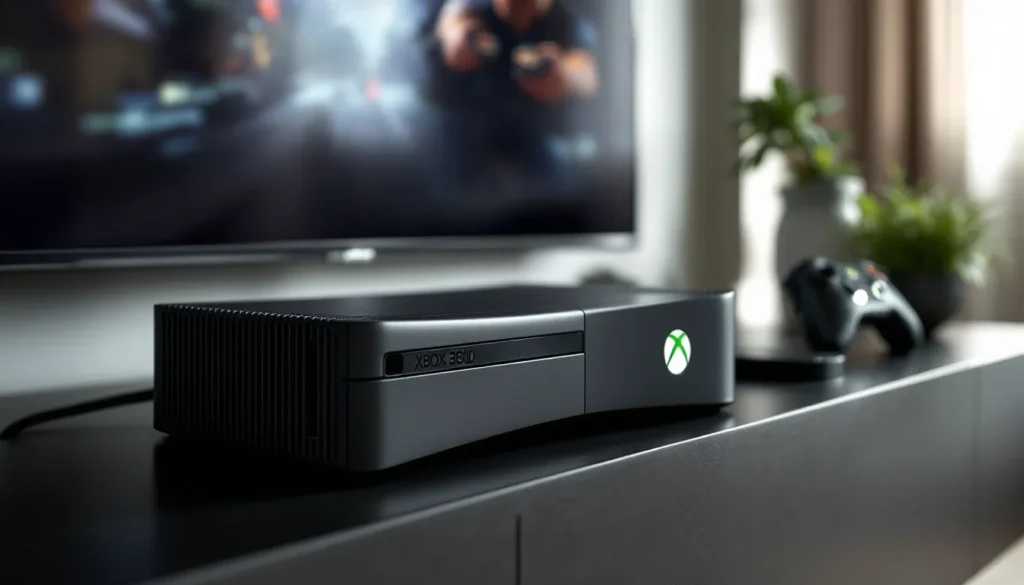
Visually, the Xbox 360 E was night and day compared to its predecessors. The original white or black models had a utilitarian, rounded appearance. The S model attempted a slightly slimmer profile but still looked bulky by modern standards. The Xbox 360 E borrowed design cues from the Xbox One, featuring a glossy black finish, a horizontal orientation, and angular lines that felt contemporary for 2013.
The top-loading disc drive became a motorized front-facing slot, a small change that made swapping games feel more premium. The power brick remained external and large, but the console itself felt like it belonged in a modern entertainment center rather than a relic. Size-wise, the Xbox 360 E measured approximately 270mm × 150mm × 266mm (about 10.6″ × 5.9″ × 10.5″), making it compact enough for most TV stands.
The glossy black plastic attracted fingerprints aggressively, a trade-off players either accepted for aesthetics or sidestepped with skins and cases. Build quality felt solid, the console had a weighty, assembled-properly feel that previous models sometimes lacked.
Enhanced Ventilation and Cooling System
The most critical improvement under the hood was thermal management. The original Xbox 360 and even the S model were notorious for overheating, particularly during extended gaming sessions or in warm environments. The Red Ring of Death, a trio of red lights indicating hardware failure, became synonymous with Xbox 360 reliability issues, though the actual root causes were more complex.
The Xbox 360 E redesigned the internal cooling architecture with improved fan placement and airflow paths. The ventilation grilles on the top and sides were repositioned to draw air more efficiently away from the GPU and CPU. Microsoft also refined thermal paste application and component placement during manufacturing, reducing the likelihood of solder joint fatigue that plagued earlier batches.
This wasn’t a magical fix, the console still generated considerable heat under load, but the engineering changes meaningfully extended the lifespan of most units. Players reported fewer thermal-related failures with the E model compared to the original or early S revisions. The improved cooling became one of the primary reasons longtime players considered upgrading.
Updated Controller and Connectivity
The bundled controller for the Xbox 360 E received a subtle refresh. The Xbox 360 S Wireless Controller (included with the E model) featured a built-in rechargeable lithium-ion battery pack instead of the standard AA battery compartment. This wasn’t revolutionary, the S model already offered this option, but it standardized the experience for new purchasers.
Connectivity saw meaningful upgrades. The Xbox 360 E included built-in Wi-Fi, a feature that required expensive external adapters on original models. This made setup faster and reduced cable clutter for players without ethernet ports nearby. The console still supported wired ethernet via the included port, offering flexibility.
Audio and video connections also matured. The E model included HDMI as standard (earlier models required separate cables) and supported the full range of audio outputs: stereo RCA, optical TOSLINK, and HDMI. For a console aimed at the 2013 living room, these were baseline expectations, but it represented solid consolidation of features that had been scattered across previous revisions.
Technical Specifications and Performance
Hardware Capabilities and Processor Details
The Xbox 360 E retained the same core processing hardware as the S model, which meant no performance increase over the S revision released in 2010. This was both a limitation and an acknowledgment: the Xbox 360 architecture had been fully optimized by 2013, and architectural improvements would have required a complete redesign.
The console featured a triple-core Xenon CPU running at 3.2GHz, a custom IBM processor that had powered the 360 from launch. Paired with this was a custom ATI Xenos GPU capable of 240 GFLOPS, also unchanged from the S model. Memory consisted of 512MB of GDDR3 RAM, split between the CPU and GPU. These specs, while dated today, had proven sufficient for a generation of high-quality games.
Raw performance meant developers could squeeze similar visual fidelity and gameplay complexity from any Xbox 360 revision manufactured after the initial production run. Games like Halo 4, Gears of War 3, and Forza 4, titles developed well after the S model’s release, ran identically on the Xbox 360 E. The hardware ceiling had been reached: refinements were about reliability and features, not horsepower.
Backward compatibility was universal. Any game released for the Xbox 360 worked on the E model. This wasn’t a technical guarantee on all consoles in the early days due to hardware inconsistencies, but by 2013, manufacturing had stabilized enough that players could confidently purchase any used Xbox 360 E and expect their existing library to function.
Storage Options and Memory Upgrades
Storage flexibility was one area where the Xbox 360 E simplified the experience compared to earlier models. The console came in two configurations:
- 250GB model (most common E variant)
- 500GB model (released shortly after launch, less common)
These were internal hard drives, eliminating the clunky external HDD approach of the original model. Unlike the S model, which offered a 120GB variant and required proprietary Microsoft hard drives (expensive aftermarket replacements), the E model used standard SATA drives. This meant tech-savvy players could theoretically upgrade or replace drives more affordably, though Microsoft still controlled the authentication and licensing of replacement drives to prevent piracy.
The hard drive stored game installs, game saves, profile data, and downloaded content. A 250GB drive was adequate for most players, you could install 8-12 AAA titles simultaneously, though juggling installs was common practice. The 500GB variant provided breathing room for collectors and players with extensive game libraries.
Ram remained fixed at 512MB shared across CPU and GPU, with no upgrade path. This was standard for consoles: expandable RAM belonged to PC gaming. For Xbox 360 E owners, the storage capacity was the only hardware variable after purchase.
Gaming Library and Exclusive Titles
Must-Play Games for Xbox 360 E
By 2013, the Xbox 360’s library represented over a decade of gaming excellence. The Xbox 360 E could access the entire catalog, from 2005 launch titles to the final releases in 2016. Here’s what defined the platform:
Halo franchise – The cornerstone of Xbox identity. Halo 3, Halo: Reach, and Halo 4 are considered generation-defining shooters. Halo 4 in particular released just before the Xbox 360 E and showcased what the hardware could still deliver in the hands of a talented studio.
Gears of War series – Gears of War 1-3 and Judgment established the third-person cover-shooter template that influenced an entire generation. Raw graphical showcase titles, especially Gears of War 3.
Forza franchise – Forza Motorsport 4 and Forza Horizon offered racing that rivaled dedicated sim platforms. These titles aged remarkably well visually and remain worth playing.
BioShock series – Narrative-driven first-person shooters with unmatched atmosphere. BioShock 1 & 2 and BioShock Infinite are masterclasses in environmental storytelling.
The Elder Scrolls IV: Oblivion and Skyrim – Open-world RPGs that consumed hundreds of hours for countless players. Skyrim remains modded and replayed to this day.
Mass Effect trilogy – Science fiction RPGs with player choice mattering. Commander Shepard’s story across all three games is gaming’s most cohesive narrative arc.
Fallout 3 and New Vegas – Post-apocalyptic RPGs that defined open-world exploration and consequence-driven questing.
Dark Souls series – Dark Souls and Dark Souls 2 are community-driven multiplayer action RPGs that birthed an entire genre of imitators.
Minecraft – The versions available on Xbox 360 E remain fully playable and represented the platform’s last significant cultural gaming moment.
These titles weren’t exclusive to Xbox 360, many appeared on PlayStation 3 or PC. What mattered was access. Players investigating an Xbox 360 E today have instant, affordable access to a catalog spanning genres, eras, and play styles. The exclusives-focused landscape of modern consoles hadn’t fully emerged: the Xbox 360 thrived on a mix of exclusive franchises and third-party blockbusters.
Backward Compatibility and Legacy Support
The Xbox 360 E played original Xbox games through software emulation, a feature not universal across the console’s lifespan due to manufacturing variations and licensing issues. By the E model’s release, this compatibility was stable and comprehensive.
Backward compatibility meant players could access titles like Halo: Combat Evolved, Splinter Cell series, Crimson Skies, and others from the original Xbox generation. The execution wasn’t perfect, some games had minor graphical or audio glitches, but the majority of the Exploring Iconic Xbox 360 ran without friction.
Online support for Xbox 360 games remained stable through the E model’s lifetime and beyond. Servers for even older games stayed online surprisingly long, with many titles still supporting multiplayer as of 2016. This meant purchasing an Xbox 360 E wasn’t a nostalgia exercise, it was functionally playable, online-capable hardware that connected to a living ecosystem.
What changed post-2016 was Microsoft’s decision to sunset original Xbox 360 services. Online multiplayer and some features were phased out, though single-player campaigns and offline content remain fully accessible. For buyers in 2026, understanding that online gaming functionality is limited is crucial when evaluating what an Xbox 360 E offers.
Online Features and Entertainment Ecosystem
Xbox Live Services and Multiplayer Gaming
Xbox Live was the defining differentiator between Xbox 360 and PlayStation 3 during the seventh generation. The service launched in 2002 on the original Xbox and matured into the gold standard for console online gaming by the time the Xbox 360 E released.
With the Xbox 360 E, players could access the full Xbox Live experience: online multiplayer, achievements, profile management, and content downloads. The service required a Xbox Live Gold subscription (paid) for multiplayer on most games, though Exploring Xbox 360 Online: explores how the platform revolutionized connected gaming.
The achievement system, a gamified rewards structure tied to in-game accomplishments, became a phenomenon. Each game featured 12-50 achievement challenges worth specific points (10, 20, 30 points each), totaling 1000 Gamerscore per title. This system encouraged replayability and created friendly competition among friends’ achievement lists. It influenced industry design so profoundly that achievement systems became standard across all platforms.
Matchmaking for multiplayer remained robust. Games like Halo 4, Call of Duty: Modern Warfare 3, and Gears of War 3 had dedicated multiplayer populations well into 2015 even with the Xbox One’s release. The infrastructure was stable, lag was generally manageable, and the social features (party chat, friend notifications, leaderboards) were industry-leading.
One limitation: as of 2020, Microsoft began phasing out Xbox 360 online services. The decision was part of a gradual sunset, prioritizing resources toward current-generation consoles. By 2026, many Xbox 360 games have lost online functionality, though offline campaigns and split-screen multiplayer persist. Buyers should be aware that the “online gaming” aspect of the 360 E experience is no longer viable for most titles.
Media Streaming and Entertainment Apps
The Xbox 360 positioned itself as an all-in-one entertainment hub, and the E model inherited this ecosystem. The console supported streaming apps for Netflix, YouTube, Hulu, and others, services that were still gaining traction in 2013.
Netflix and YouTube streaming worked through bundled apps, though these have since been deprecated as licensing agreements and platform priorities shifted. The experience felt genuinely integrated: the Xbox 360 operated smoothly as both a gaming and entertainment device. For 2013, this was a major selling point. By today’s standards, smart TVs and dedicated streaming boxes offer faster, more current experiences.
The Zune integration (Microsoft’s music streaming service that competed with Spotify) came built-in but never achieved significant adoption. This feature became irrelevant when Zune was discontinued in 2015. Players relied more heavily on the console’s media player for locally stored content, USB drives, external hard drives, or ripped media files.
DVD playback was standard: Blu-ray playback Can Xbox 360 Play Blu Ray? Discover the Surprising Truth was never an option on Xbox 360, even though the format war between Blu-ray and HD DVD that occurred earlier in the generation. This was a deliberate Microsoft choice, focusing resources on game streaming rather than physical media playback, a prescient decision.
For today’s buyers, the entertainment appeal of an Xbox 360 E is primarily nostalgic or utility-based (DVDs, local media) rather than a primary reason to own one. The gaming library remains the console’s strongest asset.
Maintenance, Reliability, and Longevity
Addressing The Red Ring of Death and Common Issues
The Red Ring of Death became the symbol of Xbox 360 unreliability. Three red lights around the power button indicated a fatal hardware error, typically GPU or CPU failure, sometimes related to thermal cycling or poor solder joint connections. Early estimates suggested failure rates between 10-20% across the console’s lifetime, though Microsoft never confirmed exact figures.
The original Xbox 360 (2005-2008) suffered the most failures, particularly units manufactured in early batches. The S model improved reliability through revised thermal management and stricter manufacturing standards. The Xbox 360 E benefited from years of refinement: failure rates dropped significantly compared to predecessors.
Thermal stress was the primary culprit behind most failures. The console ran hot under load, and if environmental cooling was inadequate, a console in an enclosed entertainment center, hot climate, or clogged vents, thermal stress accumulated. Repeated heating and cooling cycles caused solder joints to develop micro-fractures, eventually leading to complete failure.
The Xbox 360 E’s improved cooling addressed this at the hardware level, but it didn’t eliminate the risk entirely. Units that experienced extreme thermal stress, power surges, or physical damage remained vulnerable. Most Xbox 360 E units in circulation today have survived a decade-plus, suggesting they dodged early failure windows.
Other common issues included:
- Disc drive failures – Lasers degraded: discs became unreadable. Replacement drives existed but required opening the console.
- Hard drive corruption – Rare but documented, typically resolved by formatting or replacing the drive.
- Controller connectivity problems – Wireless interference or battery contacts degrading: replaceable controllers solved this.
- HDMI port failure – Less common than thermal failures, but repeated plugging/unplugging could loosen connections or cause intermittent signal loss.
For a console approaching 13 years old (as of 2026), any Xbox 360 E that’s still functioning represents a survivor. Manufacturing quality and luck played roles.
Tips for Extending Console Lifespan
Ventilation is paramount. Position the console in an open area with at least 3-4 inches of clearance on all sides. Avoid enclosed entertainment centers unless adequate airflow exists. A console in a cold environment lasts longer than one in a hot, poorly ventilated space.
Keep vents clean. Dust accumulation restricts airflow and forces the cooling system to work harder. Use compressed air periodically, just don’t open the console unless you’re comfortable with potential warranty voiding and risk of static damage.
Avoid power surges. Use a quality surge protector. Power spikes and electrical fluctuations stress components and can trigger failures.
Don’t move the console while powered on or immediately after shutdown. The drive is active and vulnerable. Wait 5-10 minutes after powering down before relocating.
Monitor operating temperatures. If the console becomes extremely hot to the touch or shuts down due to overheating, address the cooling immediately. Continued overheating operation accelerates failure.
Replace thermal paste if opening the console. If you’re comfortable disassembling hardware, replacing dried-out thermal paste every few years can improve cooling efficiency. This requires skill and voids any remaining warranty.
Use quality power and HDMI cables. Flaky connections cause frustration: premium cables ensure stable signals and reduce electrical noise.
Give it rest. Extended 8+ hour gaming sessions stress components. Modern gamers might play less intensely, which actually benefits aging hardware.
Most importantly, understand that any Xbox 360 E today has already proven its longevity. If you purchase a used unit and it powers on without immediate issues, odds are it will continue functioning for years with reasonable care.
Comparison: Xbox 360 E Versus Original and S Models
Understanding how the Xbox 360 E compares to its predecessors helps clarify whether upgrading or purchasing one specifically makes sense.
Original Xbox 360 (2005-2008)
The original came in white (later refreshed colors like black and red became available). It featured a top-loading disc drive, external power supply, and connections limited to composite/component video and audio. No built-in Wi-Fi: network required either ethernet or a separate wireless adapter ($99).
Reliability was the Achilles’ heel. Manufacturing inconsistencies, aggressive fan noise, and thermal design flaws meant failure rates climbed dramatically after 18-24 months of heavy use. Many early adopters experienced the Red Ring of Death.
Processing power was identical to the S and E, same CPU, GPU, memory. Games looked and ran the same, but the original’s hardware was more prone to failure, and the connectivity experience was less refined.
Xbox 360 S (2010-2013)
The S model was a solid midpoint improvement. It featured a slimmer horizontal design, quieter operation, faster disc loading, and built-in Wi-Fi as standard. Storage came in 120GB, 250GB variants, though the 120GB became harder to find. Control-wise, it represented substantial refinement over the original.
Reliability improved markedly. The S model incorporated lessons learned from the original’s failures, implementing better thermal management and manufacturing standards. Failure rates dropped significantly, and many units released after 2011 still operate without issue today.
The S model didn’t feel “dated” the way the original did by 2013. Aesthetically, it was inoffensive, a black horizontal box that blended into entertainment centers without drawing attention.
Xbox 360 E (2013)
Design-wise, the E model was the most refined. It looked contemporary, with modern industrial design cues borrowed from the then-unreleased Xbox One. Build quality felt premium, and the glossy finish, though impractical for fingerprints, signaled intentional aesthetic direction.
Cooling and reliability were the strongest E-model advantages. Internal redesigns meaningfully reduced thermal stress. Motherboard revisions and stricter quality control meant failure rates approached negligible levels for units produced in later runs.
Connectivity was comprehensive: built-in Wi-Fi (standard), ethernet, HDMI, optical audio. Storage came in 250GB and 500GB, covering most player needs without proprietary hard drive restrictions.
Performance was identical across all three models. No console revision added processing power, that would require architectural changes Microsoft deemed unnecessary given the Xbox One’s proximity.
Which Should You Buy?
For 2026 buyers, the Xbox 360 E is the optimal choice if you’re purchasing used. Its superior cooling, modern design, and built-in Wi-Fi eliminate several pain points of earlier models. The S model is a solid second choice and often cheaper: many have proven equally reliable. The original Xbox 360 carries unnecessary risk, failure rates remain higher, and the dated connector setup (no built-in Wi-Fi, no HDMI standard) creates friction.
Price differences matter. If the E model costs significantly more ($150+ premium), a well-maintained S from a reputable seller might offer better value. If prices are similar, the E model’s design refinement and cooling improvements justify the choice.
Buying Guide: Finding and Evaluating Used Units Today
What To Look For When Purchasing
Visual Condition
Inspect the console’s exterior for cracks, deep scratches, or signs of water damage. The glossy black finish shows fingerprints aggressively but hides minor dust: don’t confuse dust for actual damage. Check the disc drive slot for debris or visible damage. Look at the top and sides for dents or warping, signs of abuse or pressure.
Thermal Indicators
Ask the seller if the console has ever been serviced or opened. History of warranty repairs or motherboard replacements is actually a positive, it means failures were addressed. Ask about any instances of overheating or shutdowns. A console that’s been well-ventilated and rarely maxed out thermally is a better investment.
Power Test
If you’re examining a console in person, power it on. Listen for fan noise, it should be audible but not grinding or squealing. The console should power up within 5 seconds: slow startups might indicate drive issues. Watch the heat around the vents after 5-10 minutes: it should be warm, not scalding.
Disc Drive Function
Insert a game disc and ensure the console reads it. A functioning disc drive is non-negotiable unless you plan digital-only gaming (possible but limits library access). If the drive fails post-purchase, replacements are expensive ($40-80 for replacement units plus installation labor).
Hard Drive Status
The hard drive should have available space and be formatted correctly. A seller should be able to show the storage status through system settings. If the drive has been formatted multiple times or shows signs of heavy fragmentation, it might be nearing end-of-life, though modern gamers rarely encounter hard drive failures on the 360 E.
Controller Included
Verify that controllers are included and functional. Button responsiveness, trigger action, and D-pad function should all work smoothly. Replacements cost $30-50 for used controllers, so this impacts total value.
Cables and Accessories
Ensure the power supply, HDMI cable, and any network cables are included. The proprietary power connector can’t be easily substituted: a missing power supply makes the console unusable until one is sourced ($30-60).
Cosmetic vs. Functional
Minor cosmetic issues (scratches, dust, worn markings) don’t affect functionality. Focus on thermal history, drive function, and cosmetic defects that indicate rough handling or abuse. A console with cosmetic imperfections but solid internals is better than a pristine-looking unit with hidden thermal damage.
Fair Market Pricing and Value Assessment
Xbox 360 E pricing in 2026 varies significantly based on condition, storage capacity, and included accessories. Understanding How Much Is a helps contextualize what you’re paying.
Typical pricing ranges:
- Console only (250GB) – $80-120 for good condition, $40-70 for cosmetically rough units
- Console with controllers and cables – $120-180 for excellent condition
- 500GB variant – Add 15-25% premium over 250GB pricing
- Bundle with games – $150-250 depending on game selection and condition
Factor in these variables:
Supply and demand – Nostalgia drives interest in classic consoles, but supply is finite. E models are rarer than S models, justifying modest premiums. Regional differences (US vs. PAL territories) affect pricing: NTSC (US/Japan) units command higher prices in most markets.
Condition matters – Excellent condition units (cosmetically clean, all original accessories, tested working) command premiums. Average condition (functional, minor cosmetic wear) sits in mid-range pricing. Poor condition (cosmetic damage, missing accessories, untested) bottoms out near cost of individual replacement parts.
Storage capacity – 500GB vs. 250GB makes little practical difference for most players: the 15-25% premium often isn’t justified unless you’re a serious collector.
Local vs. online purchasing – Local purchases (Facebook Marketplace, Craigslist, local game shops) allow inspection before payment, reducing risk. Online purchases (eBay, specialty retro shops) offer buyer protection but require shipping. Understanding Xbox 360 Price provides context for price fluctuations.
Where to buy:
Local options – Used game stores, pawn shops, estate sales, local classifieds. Advantages: immediate inspection, no shipping costs, potential for negotiation. Disadvantages: hit-or-miss inventory, less information about service history.
Online options – eBay (highest selection, moderate prices), specialized retro gaming shops (usually higher prices but vetted quality), Facebook Marketplace (variable quality, requires caution).
What to avoid:
- Units without return policies
- Sellers with no feedback or negative reviews mentioning DOA (dead on arrival) units
- Consoles without power supplies (unless you’re willing to source and pay separately)
- Units described vaguely (“untested,” “as-is,” no mention of thermal history)
Value proposition: An Xbox 360 E in 2026 isn’t a financial investment, it’s a hobby purchase. You’re paying for access to a game library spanning 2005-2016 and the nostalgia of a historically important platform. If you enjoy those games or find the hardware compelling, $100-150 for a solid unit represents fair value. If you’re buying speculatively hoping retro consoles will appreciate, consider this a patient collectible gamble, not a guaranteed return.
Weighing cost against alternatives: PlayStation 3 consoles similarly priced offer comparable game libraries with different exclusives. PC emulation can replicate many games digitally, though the licensing and legal gray areas differ from physical hardware. Eventually, the value depends on what you plan to play and how much nostalgia or authenticity matters to you.
Conclusion
The Xbox 360 E stands as the most refined iteration of Microsoft’s seventh-generation console, arriving at a moment when the platform’s legacy was already secure. Its modernized design, improved cooling, and comprehensive connectivity addressed real pain points that haunted earlier models. For players experiencing their first Xbox 360 in 2026, the E model represents the best overall version of this hardware.
Buying an Xbox 360 E today isn’t about acquiring cutting-edge technology, it’s about accessing a generation of gaming history that includes some of the industry’s most important franchises. From Halo to Gears of War, from Mass Effect to Dark Souls, the library defines an era. According to coverage from Windows Central, Xbox’s history shaped how we think about online console gaming and achievement systems that persist today.
Finding a reliable used unit requires inspection and patience, but the investment is affordable. Expect to spend $100-180 for a properly functioning console in good condition. The experience won’t feel modern compared to current hardware, but for specific games, series, or simply revisiting the 2005-2016 era, it delivers authenticity that emulation or streaming services can’t replicate.
The Xbox 360 E won’t revolutionize your gaming. It will, but, open a door to one of gaming’s most consequential generations. If that appeals to you, hunting for a solid unit is worth the effort. And if you’re already an owner, protecting yours through proper ventilation and care ensures it remains playable for years to come.